
You have no items in your shopping cart.
Find Community and Social Resources
 2SLGBTQIA+
 Addictions and Mental Health
 Animals and Environment
 Children and Families
 Clothing and Household Goods
 Disabilities
 Disaster / Extreme Weather
 Education
 Employment and Training
 Financial Assistance
 Food
Food Government
 Health Care
 Housing
 Indigenous Peoples
 Legal
Legal New to PEI
 Older Adults
 Recreation
 Transportation
 Violence and Abuse
 Youth and Young Adults

Website Search Tips
Search the 211 PEI website for non-profit and government services available across PEI.
Please note that some records are not publicly available and are only accessible by our Community Navigators. You can reach 211 PEI community navigators 24/7 by dialing 2-1-1. For other ways to reach 211, visit the Contact Us page.
There are two ways to search the 211 PEI website.
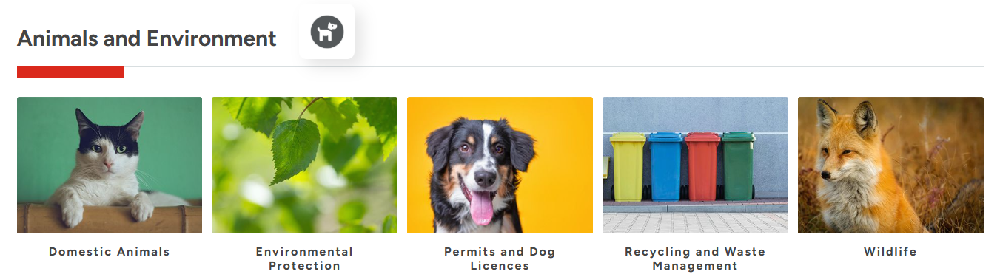
- Categories on the homepage
This is the easiest way to search. Each category opens to sub-categories with definitions to help guide your searching.

2. Keyword search and/or location searching
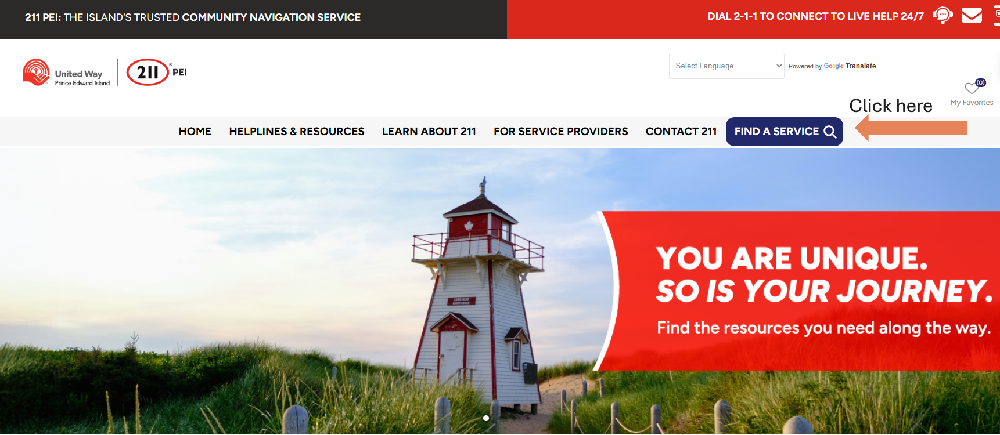
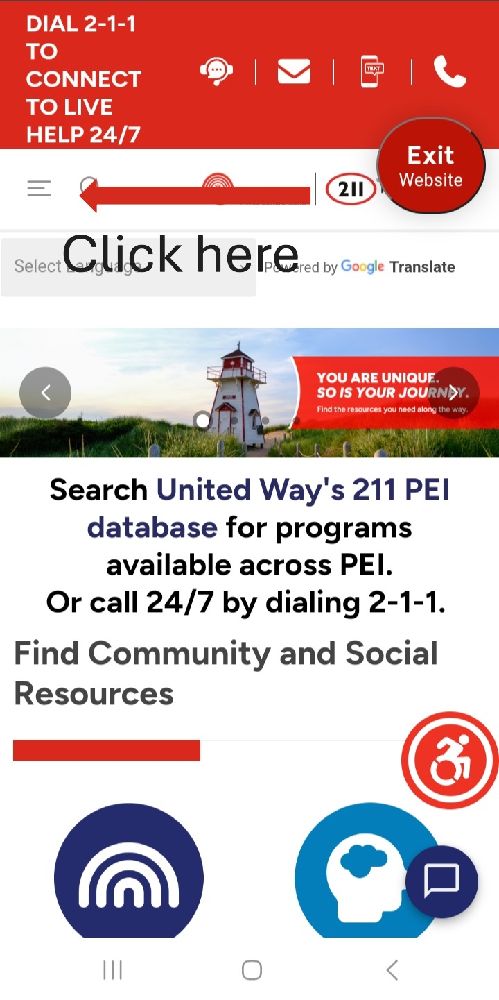
Click on ‘Find a Service’ – found near the top right on a computer, and on the menu bar on the top left if using a mobile.
On a computer:
On a mobile:
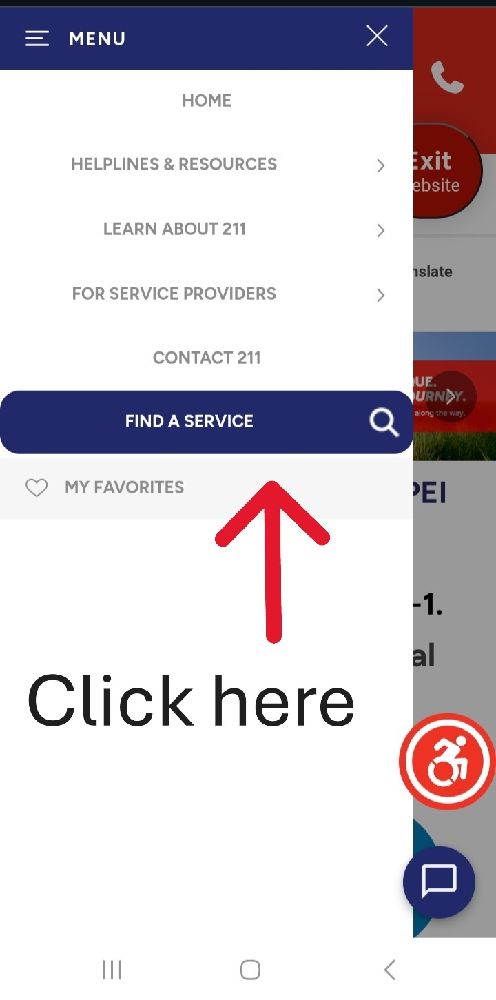
Enter a keyword or name of program or organization. If you are looking for services in a specific location, also enter a community name or postal code.
Tips:
- Best to use one or two keywords or the exact name of the program/organization.
- If a keyword is pluralized and no results are being found or the results you would expect are not appearing, try removing the ‘s’.
- Sometimes postal codes will provide better location results than a community name.
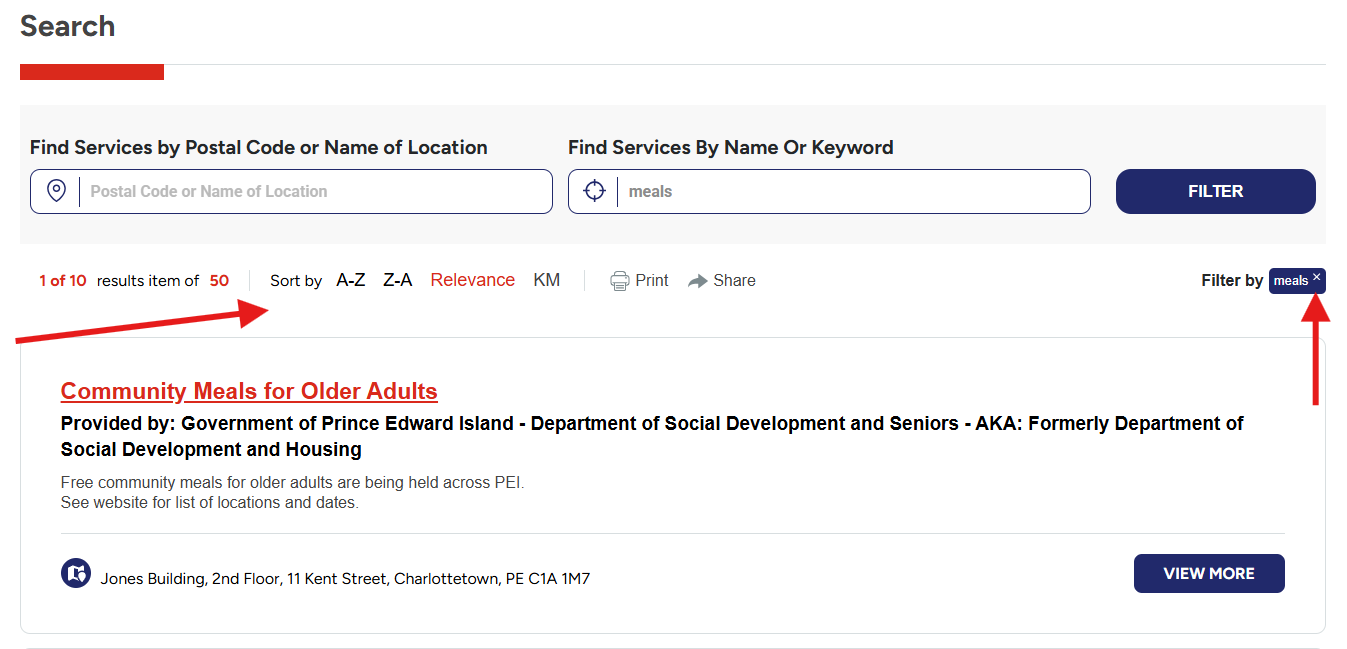
After you search by category icons or through keyword/location search, your search results can be further narrowed.
You can sort results alphabetically, by distance or relevance. Click on the buttons below the search bars. The one being used to sort results will be in red.
If you want to change the search, clear the search fields. If you have used the categories and sub-categories, you will need to ‘X’ the filters on the right. At any time, you can return to the homepage or use the category and sub-category list on the left, if on a computer.
Note: By removing the filter, all resources listed in the website will appear.
You can also print, share, or add selected programs to the online ‘My Favourites’ list.
If you’re not finding what you’re looking for, 211 PEI’s Community Navigators are available by telephone 24 hours a day, seven days a week, dial 2-1-1.